
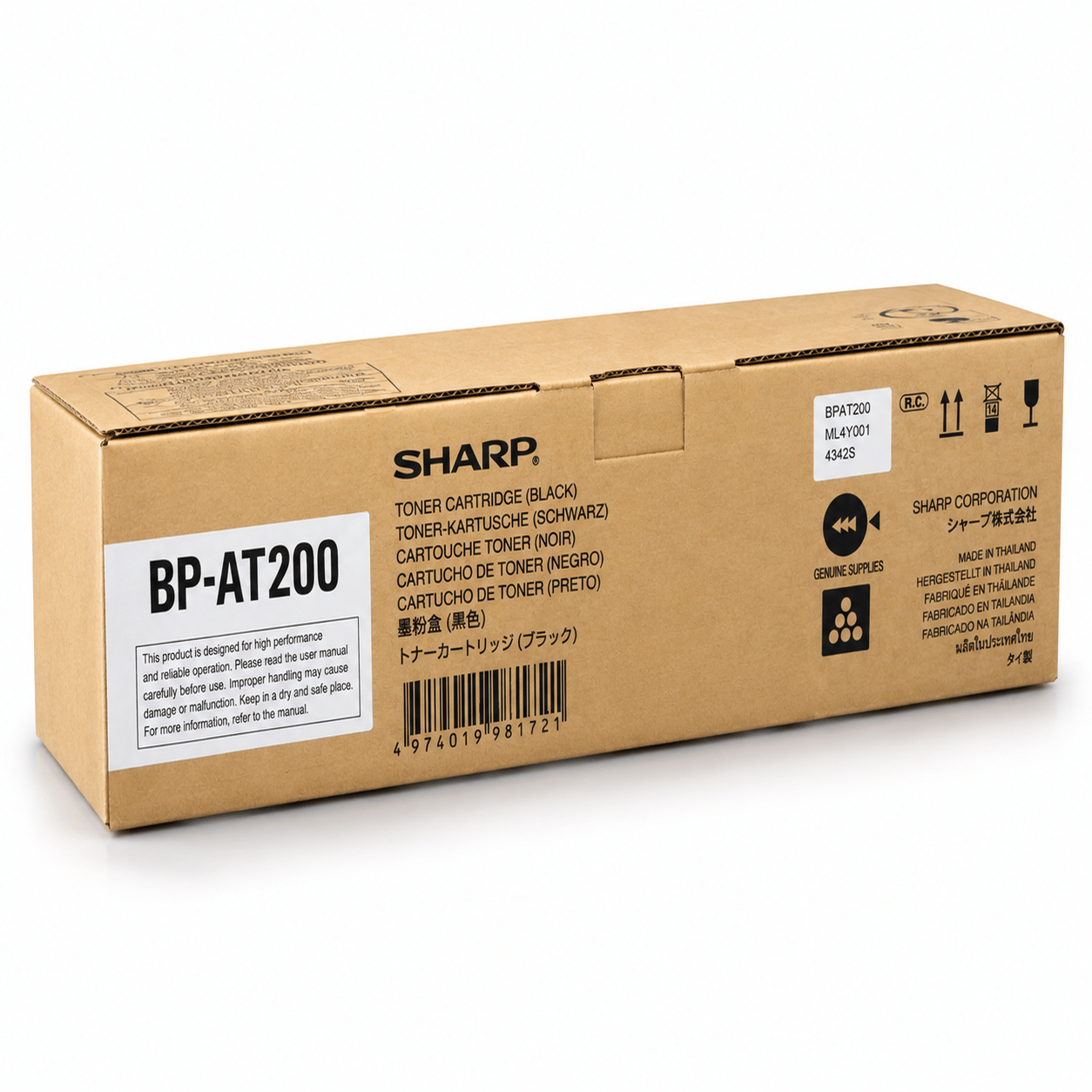
BP-AT200 Black Original Toner for Sharp Photocopier
Quick Overview
- Item Category – Copier Toner
- Printing Color – Black
- Printing Technology – Laser
- Duty Cycle up to (Yield) – 20000 Pages
BP-AT200 Black Original Toner for Sharp Photocopier Order now or call us for product details and availability. 01727757903
৳ 7,499 ৳ 9,500
Looking for a high-performance, long-lasting, and dependable monochrome printing solution for your office photocopier? The BP-AT200 Black Original Toner for Sharp Photocopier is meticulously designed to meet the rigorous demands of fast-paced business environments, educational institutes, government offices, and commercial copy centers. In modern corporate settings, document clarity reflects professional standards. Utilizing genuine OEM (Original Equipment Manufacturer) toner cartridges ensures that every text document, detailed financial sheet, barcode, and high-contrast graphical presentation maintains exceptional crispness from the first print to the last.
Why Choose BP-AT200 Black Original Toner for Sharp Photocopier?
Maintaining low operational costs while securing top-tier document presentation can be a challenge for modern businesses. The BP-AT200 Black Original Toner for Sharp Photocopier offers the perfect balance of cost efficiency, long-term durability, and superior print performance. Engineered directly by Sharp under strict quality control standards, this original toner cartridge ensures flawless integration with your photocopier’s internal mechanics.
Unlike generic or sub-standard third-party alternatives, original Sharp toner cartridges prevent internal dust accumulation, lower repair downtime, and ensure your machine runs smoothly without unexpected hardware breakdowns.
Exceptional Print Quality and Deep Black Text
Every page printed with the BP-AT200 toner features crisp, laser-sharp text and deep monochrome blacks. Whether you are producing high-contrast line drawings, fine-text legal agreements, or multi-page business proposals, the micro-engineered toner particles melt evenly on paper fibers. This ensures zero smudging, no streak marks, and consistent darkness throughout the cartridge lifespan.
High Page Yield for Maximum Productivity
Frequent cartridge replacements slow down daily office productivity and increase administrative overhead. The original BP-AT200 toner cartridge is built for heavy-duty copy environments, delivering an impressive high page yield at standard 5% coverage. This means fewer interruptions, seamless printing during tight project deadlines, and lower cost per print over the lifespan of the cartridge.
Technical Superiority & OEM Engineering Excellence
The BP-AT200 Black Original Toner for Sharp Photocopier is not merely a powder container; it is an intricately engineered component designed to work in synergy with Sharp’s advanced electrophotographic process.
Micro-Refined Chemical Toner Formulation
Conventional crushed toners feature jagged, uneven particles that cause abrasive friction against internal photocopier parts. Sharp utilizes advanced chemical synthesis to produce uniformly spherical toner particles. This spherical shape provides several operational advantages:
-
Higher Transfer Efficiency: More toner adheres directly to the paper, significantly reducing internal waste powder.
-
Lower Melting Point: The chemical formulation requires lower fuser roller temperatures, saving electricity and reducing wear on heating elements.
-
Smoother Halftones and Fine Lines: Ensures intricate charts, logos, and small 6pt text fonts remain perfectly legible without bleeding or fuzzy edges.
Intelligent Chip System and Machine Health Protection
The cartridge includes a smart communication chip that syncs seamlessly with your Sharp digital copier’s firmware. This ensures real-time tracking of toner consumption, accurate low-toner alerts, and protection against machine lockouts caused by incompatible consumables.
Total Cost of Ownership (TCO) & Economic Value Analysis
While compatible or refilled cartridges may appear cheaper upfront, a complete Total Cost of Ownership analysis reveals that original Sharp toners offer superior long-term financial value.
Hidden Costs of Non-OEM Generic Cartridges:
-
Higher Waste Rate: Inconsistent toner density leads to faded prints and frequent re-printing, wasting paper and staff time.
-
Internal Machine Contamination: Non-sealed generic cartridges leak toner dust into optical laser units and high-voltage corona wires, requiring expensive technician cleanups.
-
Premature Drum & Developer Wear: Abrasive toner particles scratch the OPC drum unit, forcing early replacement of high-cost copier components.
-
Fuser Unit Damage: Improper melting temperatures cause toner build-up on fuser rollers, leading to frequent paper jams and roller replacement expenses.
By contrast, using the BP-AT200 Black Original Toner for Sharp Photocopier protects your core machine hardware, drastically reduces maintenance service calls, and delivers predictable, worry-free daily operation.
Detailed Step-by-Step Installation & Handling Guide
Replacing your depleted toner cartridge with a brand-new BP-AT200 is straightforward and requires no special tools or technical expertise. Follow these step-by-step instructions:
Step 1: Preparation
-
Keep the new cartridge in its original sealed anti-static bag until immediately before installation.
-
Ensure the photocopier is powered on so the internal system recognizes the new cartridge chip.
Step 2: Removing the Old Cartridge
-
Open the front cover/access door of your Sharp digital photocopier.
-
Turn the toner cartridge lock lever (if equipped) to the unlocked position.
-
Carefully pull the empty cartridge straight out using the designated handle. Place the used unit on a piece of paper to avoid toner dust on your office desk.
Step 3: Preparing the New BP-AT200 Unit
-
Unpack the new BP-AT200 Black Original Toner for Sharp Photocopier cartridge.
-
Gently rock the cartridge horizontally back and forth 5 to 6 times. This evenly distributes the internal chemical powder that may have settled during shipping.
-
Remove any protective orange seals, tapes, or protective covers carefully.
Step 4: Insertion and Verification
-
Align the cartridge with the guide rails inside the photocopier cartridge compartment.
-
Slide the cartridge in smoothly until it clicks firmly into place.
-
Close the front access door securely. The machine display panel will display a brief loading message while recognizing the new cartridge.
-
Print a test page to confirm ideal print density and background cleanlines.
Best Practices for Photocopier Maintenance & Storage
To ensure maximum performance and longevity from both your cartridge and your Sharp photocopier, follow these recommended workplace guidelines:
Optimal Storage Conditions:
-
Temperature Control: Store unopened cartridges in a climate-controlled room between 10°C and 30°C (50°F to 86°F). Avoid storing near radiators, direct sunlight, or window sills.
-
Humidity Levels: Keep storage humidity between 20% and 80% RH. High humidity causes toner powder clumping.
-
Horizontal Placement: Always store boxes lying flat horizontally. Storing cartridges vertically can cause the internal toner powder to pack tightly at one end.
Preventive Maintenance Checklist for Office Staff:
-
Clean the platen glass regularly with a microfiber cloth and mild glass cleaner to prevent scan streaks.
-
Use dry, high-quality 75-80 GSM copy paper stored in a dry environment to prevent paper jams and static buildup.
-
Empty the waste toner box periodically as recommended by your service provider.
Key Technical Specifications
Troubleshooting Common Printing & Copying Issues
Even with high-quality supplies, minor environmental or operational issues can arise. Here is a quick troubleshooting reference guide:
Issue 1: Light or Faded Prints
-
Cause: Low toner level or settled powder inside the cartridge.
-
Solution: Remove the BP-AT200 cartridge, gently shake it horizontally 5 times, reinsert, and run a test copy.
Issue 2: Background Smudging or Dark Lines
-
Cause: Dirty primary corona wire or scanner platen glass.
-
Solution: Open the front door and slide the built-in primary charger cleaning rod back and forth a few times. Clean the platen glass surface with a lint-free cloth.
Issue 3: “Toner Not Recognized” Warning
-
Cause: Poor contact on the intelligent chip or improper insertion.
-
Solution: Re-open the front access panel, remove the cartridge, gently wipe the gold chip contacts with a dry cloth, and reinsert until it locks firmly into place.
Environmental Sustainability and Corporate Responsibility
Modern enterprise purchasing decisions increasingly emphasize environmental sustainability. Sharp’s closed-loop manufacturing philosophy ensures that the BP-AT200 Black Original Toner for Sharp Photocopier supports green office initiatives:
-
Non-Toxic Materials: Manufactured without hazardous heavy metals, meeting strict global environmental safety guidelines.
-
Energy-Efficient Fusing: Low-temperature chemical toner formulas reduce fuser heating energy requirements, lowering daily office electricity consumption.
-
Recyclable Packaging: All plastic and cardboard packaging materials are 100% recyclable through standard municipal programs.
Frequently Asked Questions (FAQs)
1. Is the BP-AT200 an original OEM product from Sharp?
Yes, this is a 100% genuine original product produced directly by Sharp, packed in original factory-sealed security packaging to guarantee maximum performance and machine protection.
2. What happens if I use non-original or refilled toner in my Sharp photocopier?
Non-original toners often feature inconsistent particle sizes and poor seals. This causes internal toner spillage, faded prints, background graying, frequent paper jams, and premature wear on expensive imaging components like the drum unit and developer.
3. How many pages can I print with one BP-AT200 cartridge?
The exact yield depends on print coverage, but the BP-AT200 is rated as a high-yield monochrome cartridge tested according to standard 5% ISO page coverage guidelines, making it suitable for high-volume office use.
4. How long can I store an unopened BP-AT200 toner cartridge?
When stored horizontally in a cool, dry place out of direct sunlight, an unopened original Sharp toner cartridge maintains optimal shelf life for up to 24 to 36 months.
5. Does using an original Sharp toner protect my copier’s warranty?
Yes. Using authentic OEM consumables ensures your machine operates within manufacturer parameters and maintains full equipment longevity without voiding system warranties.
6. How do I order authentic Sharp consumables in Bangladesh?
You can order directly from Unique Copier Solution to receive authentic products, competitive market rates, rapid delivery service across Bangladesh, and full customer technical support.
Order Original Sharp BP-AT200 Toner Today
Protect your valuable Sharp digital photocopier investment and ensure consistently flawless, crisp document outputs with the BP-AT200 Black Original Toner for Sharp Photocopier.
Place your order today with Unique Copier Solution for guaranteed authentic quality, fast nationwide delivery, and dedicated customer assistance!
Based on 0 reviews
Be the first to review “BP-AT200 Black Original Toner for Sharp Photocopier”
Related products
-
Toner Cartridge, Toshiba
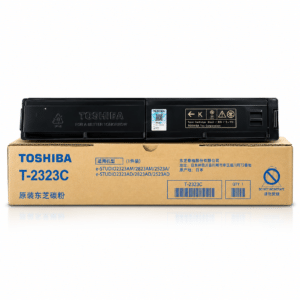
T-2323C Compatible Toner for Toshiba Photocopier
Key Features
- Model: T-2323C Compatible Toner
- Supported model: 2523A, 2523AD, 2323AM, 2823AM, 2329A, 2829A
- Duty cycle: 12,000+ Pages
- Printing technology: Laser
- Printing color: Black
T-2323C Compatible Toner for Toshiba Photocopier Order now or call us for product details and availability. 01727757903
SKU: n/a

There are no reviews yet.