
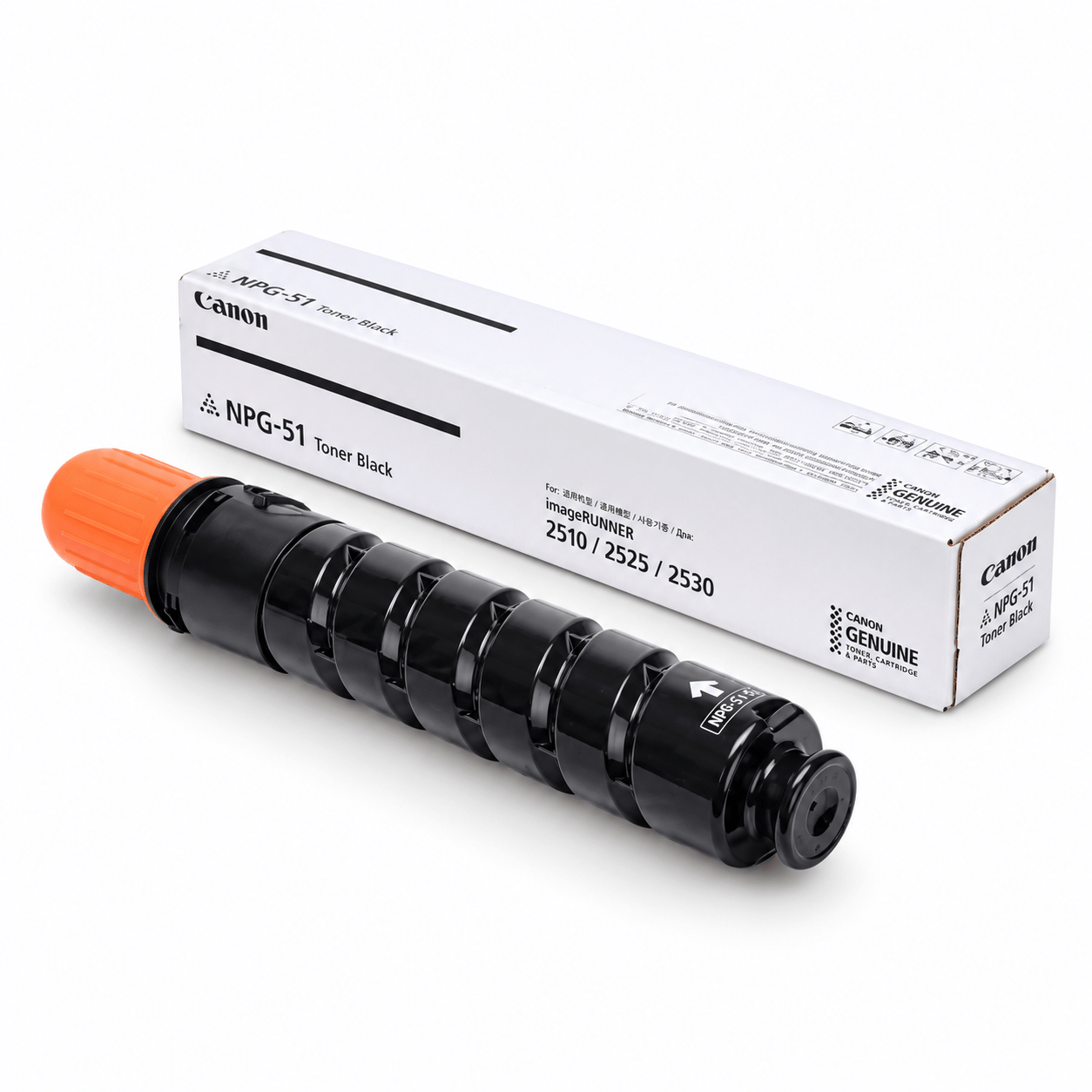
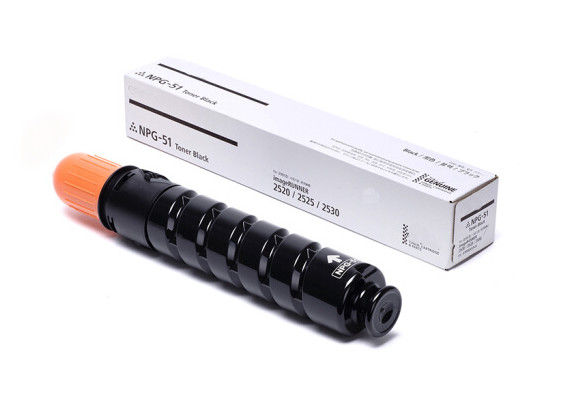
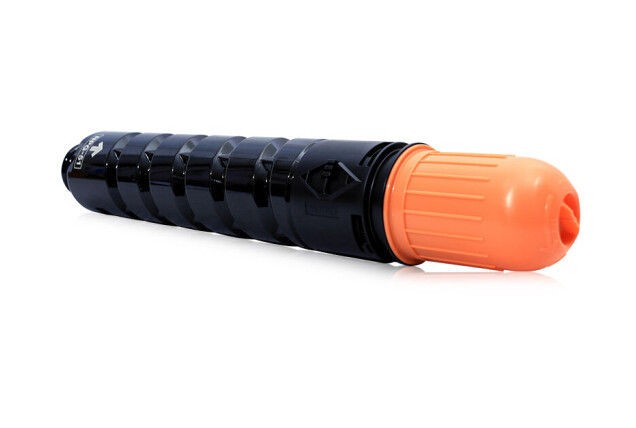
Canon NPG-51 Original Toner
Key Features
- Model: Canon NPG-51 Original Toner
- Colour: Black
- GRAM : 700G
- Total Pages: 14,600
- For Canon IR2520i, IR2525i
Canon NPG-51 Original Toner Order now or call us for product details and availability. 01727757903
৳ 3,000 ৳ 3,700
Canon NPG-51 Original Toner
Canon NPG-51 Original Toner is a black toner supply designed for compatible Canon imageRUNNER photocopiers. If your office, business, educational institution, or print service depends on dependable black-and-white document production, choosing the correct toner is an important part of maintaining your copier’s performance. The right toner helps you produce readable text, clear lines, and professional-looking documents for everyday business needs.
At Unique Copier, we help customers find copier supplies for their printing requirements. Before ordering, it is important to confirm the exact copier model, toner code, and product condition. This helps you avoid buying an incompatible supply and makes it easier to select the correct item for your machine.
Whether you regularly print office documents, invoices, reports, educational materials, or photocopied records, a suitable toner supply is essential for consistent daily work. Read this product guide to learn about the uses, selection process, storage, handling, and ordering considerations for Canon NPG-51.
Table of Contents
- Product Overview
- Key Features and Benefits
- Canon NPG-51 Original Toner Compatibility
- Why Choose Genuine Toner?
- Printing Quality and Everyday Applications
- How to Check Toner Compatibility
- Signs That Your Copier May Need Toner
- Installation and Handling Tips
- Storage and Maintenance
- Ordering from Unique Copier
- Frequently Asked Questions
Canon NPG-51 Original Toner: Product Overview
Canon NPG-51 is identified as a black toner product for compatible Canon photocopiers. Canon’s safety data sheet identifies the product as Canon NPG-51 Black Toner, with product code 2785B001. Always compare the code on your existing toner packaging and the copier documentation before purchasing. Product codes and packaging may vary by market, so check the item supplied by your seller.
Product details
- Brand: Canon
- Model: NPG-51
- Type: Black copier toner
- Product category: Photocopier consumable
- Intended use: Compatible Canon imageRUNNER photocopiers
- Colour: Black
- Compatibility: Confirm the exact machine model before ordering
- Availability: Contact Unique Copier to confirm current stock
- Ordering: Contact the seller for price, delivery, and product-condition details
The information above identifies the product category and model. It does not guarantee that every Canon copier can use NPG-51. Toner compatibility depends on the specific machine model and its consumable requirements.
Key Features and Benefits
1. Black toner for business documents
Black toner is commonly used for everyday office printing and photocopying. It is suitable for documents such as letters, invoices, quotations, reports, forms, notices, and internal business records. With the correct toner for your copier, you can maintain a practical workflow for routine black-and-white document production.
2. Designed for compatible copier systems
Canon toner products are made for particular equipment families. Selecting the correct model is important because toner supplies are not universally interchangeable. Confirming the NPG-51 code and your copier’s model name before ordering can reduce the chance of purchasing an unsuitable item.
3. Supports regular office workflows
Businesses often need to print documents throughout the working day. A compatible toner supply helps keep routine copying and printing tasks moving when the machine is correctly maintained. Offices can plan replacement supplies ahead of time instead of waiting until the toner becomes insufficient.
4. Suitable for different document types
Black toner is commonly used for text-heavy documents, tables, simple diagrams, forms, and other monochrome materials. The final output also depends on the copier’s condition, paper quality, print settings, and maintenance. If your documents have streaks or uneven density, inspect the machine before assuming toner is the only cause.
5. Helps support a planned maintenance routine
Keeping track of toner levels and replacement supplies can help offices plan maintenance more efficiently. Check the machine’s instructions for its toner-level indicators and replacement procedure. Use the consumables specified for the exact copier model.
Canon NPG-51 Original Toner Compatibility
Compatibility is one of the most important checks before buying any copier toner. NPG-51 is listed for Canon imageRUNNER 2525 and imageRUNNER 2525w in a Bangladesh government procurement document. However, you should still confirm the model and consumable code shown on your own machine before placing an order.
Before ordering, check these details:
- The complete copier model name printed on the machine.
- The toner code listed in the user manual or consumables guide.
- The code on the old toner container or its packaging.
- Whether the product being offered is original, compatible, or refilled.
- The seller’s confirmation that the supplied item matches your machine.
Do not select a toner simply because the brand name is the same. Different Canon machines can require different consumables. If you are unsure whether NPG-51 is correct for your copier, send the complete model number to Unique Copier and ask for compatibility confirmation before purchasing.
You can also consult Canon’s official documentation and support resources. See the Canon NPG-51 Black Toner Safety Data Sheet for product identification information.
Why Choose Genuine Toner?
When buying a product described as original or genuine, it is sensible to verify its packaging, source, model code, and condition. Genuine consumables are designed for their intended equipment, but the exact benefits and results depend on the machine and its operating condition.
Product identification matters
Check the toner model and product code rather than relying only on a product photograph or a short listing title. Packaging can differ across regions, and product labels may change. If the packaging or model code does not match what your copier requires, pause and confirm the details with the seller.
Printing results depend on the complete system
Toner is only one part of the copying process. Paper quality, machine settings, imaging components, cleaning, and general maintenance can all affect output. If print quality suddenly declines after a toner replacement, check the installation and machine instructions before deciding that the toner is defective.
Ask about product condition before purchasing
If you require an original Canon supply, ask the seller to confirm whether the product is new and genuine, and whether the packaging is sealed. Also confirm the return or replacement terms in case the supplied product is damaged or does not match the confirmed model.
Canon provides guidance on genuine toner and counterfeit-product risks in its official consumables and parts documentation. Use the documentation applicable to your own copier model when checking replacement supplies.
Printing Quality and Everyday Applications
Offices rely on clear documents for communication, recordkeeping, and administration. A correctly matched black toner supply is one factor in producing readable output from a compatible copier.
Office and administrative documents
Businesses may use their photocopiers for letters, purchase orders, invoices, delivery notes, staff forms, and internal notices. These documents generally need readable text and consistent presentation. Choose the appropriate paper type and print settings for the document being produced.
Schools and educational institutions
Educational organisations often produce worksheets, notices, handouts, forms, and other learning materials. A suitable toner supply helps support these routine tasks when used in the correct machine. Paper handling and copier maintenance remain important for dependable output.
Shops and service businesses
Shops and service providers may need quotations, transaction records, forms, photocopies, and other business documents. Planning toner replacement can help reduce interruptions during busy periods. Keep a record of the toner model required by each copier at your workplace.
Professional and recordkeeping needs
Contracts, reports, tables, and archived documents should be legible and printed using settings appropriate to their purpose. If output is faint, patchy, or streaked, inspect the toner status and follow the troubleshooting instructions in the copier’s manual.
How to Check Toner Compatibility
Use this checklist before buying Canon NPG-51:
- Identify the copier: Find the full model name on the front panel, identification label, or documentation.
- Check the consumables guide: Look for the toner model specified by the manufacturer.
- Compare the old supply: If available, check the toner code on the existing container or packaging.
- Confirm with the seller: Share the copier model and ask whether NPG-51 is the correct replacement.
- Verify product condition: Ask whether the toner is original, new, sealed, or supplied under another condition.
- Confirm the order details: Check price, stock, delivery, and return terms before paying.
This simple process can help prevent compatibility mistakes. If a machine has recently been serviced or uses a different regional configuration, consult its manual or an authorised service professional when necessary.
Signs That Your Copier May Need Toner
A copier may show a toner warning when its supply is low. Some machines also display a message on the control panel. Follow the instructions shown by your copier rather than relying on a single symptom.
Possible signs of a toner-related issue include:
- A low-toner or replace-toner message.
- Prints that appear lighter than expected.
- Uneven black density across the page.
- Repeated output-quality changes after extended use.
- A toner container that has reached the replacement point specified by the machine.
These symptoms can also be caused by other parts of the copier, incorrect settings, paper problems, or maintenance issues. If replacing the toner does not solve the problem, consult the machine manual or arrange professional inspection. Avoid opening or adjusting components unless the manufacturer’s instructions say it is safe.
Installation and Handling Tips
Correct handling helps reduce spills and avoids unnecessary interruptions during replacement. Always follow the replacement instructions for your exact copier model.
Before installation
- Confirm that the replacement toner model matches the copier.
- Read the machine’s toner-replacement instructions.
- Prepare a clean workspace and avoid placing the toner on unstable surfaces.
- Handle the packaging carefully and check for visible damage.
- Keep toner away from children and pets.
During installation
Open only the covers identified in the copier’s instructions. Remove the old supply as directed, and avoid forcing a container into place. Fit the replacement according to the manufacturer’s steps. If it does not fit smoothly, stop and recheck the model code rather than applying force.
Avoid touching internal components that are not part of the user-replacement procedure. Toner powder can create a mess if spilled, so handle the container carefully and follow the manufacturer’s cleanup guidance if an accident occurs.
After installation
Close the covers properly and follow any confirmation steps displayed by the machine. Print a test page or make a test copy if recommended in the manual. Check that the output is acceptable and that no toner warning remains.
If the machine displays an error after installation, check the installation steps and compatibility first. If the warning persists, consult the copier manual or a qualified technician.
Storage and Maintenance
Store toner in accordance with the instructions supplied with the product. In general, keep the package in a clean, dry location away from excessive heat, direct sunlight, and moisture. Avoid dropping or crushing the container.
Keep the product in its original packaging until it is needed, when possible. This helps protect the supply from dust and accidental damage. Do not open the toner container before installation, and do not store it where it may be exposed to water or extreme environmental conditions.
For regular copier maintenance, follow the manufacturer’s recommended schedule. Keep the paper path and accessible areas clean according to the manual. Do not use unapproved cleaning methods or dismantle internal components without appropriate training.
If you manage multiple copiers, maintain a simple inventory record showing each machine’s model, required toner code, purchase date, and replacement date. This can make future orders easier and reduce the chance of selecting the wrong supply.
Common Mistakes to Avoid When Buying Copier Toner
Choosing by brand name only
Canon has many toner models, and they are not all interchangeable. Confirm the specific toner code instead of choosing a product based only on the brand.
Ignoring the copier model
The complete machine model matters. Similar-looking copier names may use different consumables. Verify the exact model before ordering.
Assuming every listing means original
A product title alone may not establish authenticity. Ask the seller to confirm the product’s condition and packaging, and request any available supporting details.
Overlooking delivery and return terms
Before purchasing, check the price, delivery options, estimated arrival time, and what happens if the wrong model is supplied. These details are especially important when ordering toner for a business that depends on daily copying.
Delaying replacement planning
Waiting until a copier cannot continue a job may create avoidable disruption. Where possible, monitor toner warnings and plan replacement purchases according to usage and the machine’s guidance.
Ordering Canon NPG-51 Original Toner from Unique Copier
If you need Canon NPG-51 Original Toner for your compatible Canon photocopier, contact Unique Copier to check availability and confirm the correct model before placing your order.
For a faster response, provide the following information when making an inquiry:
- Your copier’s full model name.
- The toner code currently used by the machine.
- The quantity you need.
- Your delivery location.
- Any questions about product condition, packaging, or return terms.
Explore our range of Canon Toner products at Unique Copier to find toner supplies for your compatible Canon photocopier. Before ordering, confirm the exact toner model required by your machine.
Availability and pricing can change, so request confirmation before payment. If you are purchasing for an office, school, or print room, mention the required quantity and intended machine model so the order can be checked more efficiently.
Frequently Asked Questions
1. What is Canon NPG-51 Original Toner?
Canon NPG-51 is a black toner product intended for compatible Canon photocopiers. Check the toner code and machine documentation to confirm that it is the correct supply for your equipment.
2. Which copier uses NPG-51 toner?
NPG-51 is listed for Canon imageRUNNER 2525 and imageRUNNER 2525w in a Bangladesh government procurement document. Confirm your exact model against the manufacturer’s documentation before ordering.
3. Is Canon NPG-51 a black toner?
Yes. Canon’s safety data sheet identifies the product as Canon NPG-51 Black Toner.
4. How can I confirm whether the toner is original?
Ask the seller to confirm the product’s condition, model code, and packaging. Compare these details with your existing toner and machine documentation. If you have doubts, seek confirmation from Canon or an authorised service provider.
5. Can I use NPG-51 in any Canon copier?
No. Do not assume that one toner model fits every Canon copier. Always verify compatibility for the exact machine.
6. How do I know when toner replacement is needed?
Check the copier’s display and maintenance instructions. A low-toner message or reduced print density may indicate that a replacement is needed, but other machine issues can cause similar symptoms.
7. Why are my copies faint after replacing toner?
Check that the replacement is the correct model and has been installed according to the manual. If the problem remains, inspect the machine’s troubleshooting guide or contact a technician. Faint output is not always caused by toner alone.
8. How should I store unused toner?
Follow the packaging instructions. Keep it protected from moisture, excessive heat, direct sunlight, and physical damage, and leave it sealed until needed where practical.
9. Can I order more than one toner?
You can contact Unique Copier to ask about available quantity, pricing, and delivery arrangements. Confirm the current stock before placing a bulk order.
10. How can I order from Unique Copier?
Visit uniquecopier.com and contact the seller with your copier model, toner code, required quantity, and delivery location. Ask for confirmation of compatibility and availability before paying.
Final Recommendation
Canon NPG-51 Original Toner is a black toner option to consider when your compatible Canon photocopier specifically requires the NPG-51 model. Before ordering, verify the toner code, confirm the machine compatibility, and ask the seller about product condition, stock, and delivery.
For help with your copier supply requirements, visit Unique Copier at https://uniquecopier.com/ and provide your exact machine model. Confirming these details before purchase is the simplest way to reduce ordering errors and keep your regular document workflow organized.
Based on 0 reviews
Be the first to review “Canon NPG-51 Original Toner”
You may also like…
-
Toner Cartridge, Canon
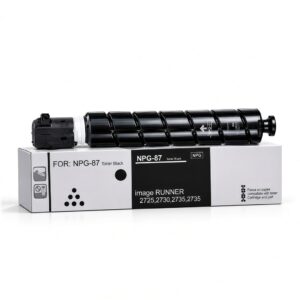
NPG-87 Black Toner for Canon Photocopier
-
Quick Overview
- Item Category: Copier Toner
- Printing Color: Black
- Printing Technology: Laser
- Duty Cycle / Yield: Unmentioned
- Product Type: Toner Bottle
- Compatible Models: imageRUNNER 2725, 2730, 2735, 2735i, 2745, 2745i Canon Photocopier.
SKU: n/a -
-
Canon, Toner Cartridge, Uncategorized
NPG-84 Black Toner for Canon Photocopier
Key Features
- Model: NPG-84 Black Toner
- Duty cycle: 30000
- Hi-Performance Ink
- Guaranteed Print Quality
- Supports a wide variety of devices
NPG-84 Black Toner for Canon Photocopier Order now or call us for product details and availability. 01727757903
SKU: n/a

Related products
-
Toner Cartridge, Sharp
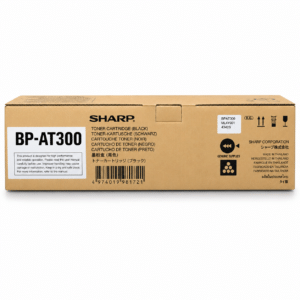
Sharp BP-AT300 Black Original Toner
Key Features
- Model: Sharp BP-AT300 Black Original Toner
- Printing Color: Black
- Printing Technology: Laser
- Duty Cycle up to (Yield): 27500 Pages
- Supported : BP-30M35, BP-30M31, BP-30M28
Sharp BP-AT300 Black Original Toner for Sharp Photocopier Order now or call us for product details and availability. 01727757903
SKU: n/a


There are no reviews yet.