

Kyocera TK-7130 Genuine Toner Cartridge
Kyocera TK-7130 Genuine Toner Cartridge is a black toner kit designed for compatible Kyocera printing and photocopying equipment. For businesses that depend on regular document production, choosing the correct toner is an important part of maintaining a reliable office workflow. From invoices and reports to forms, letters, and everyday administrative documents, a suitable toner supply helps your copier produce readable black-and-white output.
At Unique Copier, we help customers find copier and printer supplies for their business needs. Before purchasing a toner cartridge, it is important to confirm the exact machine model, toner code, product condition, and current availability. These checks help reduce compatibility problems and make it easier to choose the right supply for your equipment.
The Kyocera TK-7130 toner kit is listed by Kyocera for the TASKalfa MZ3200i, with an approximate yield of 20,000 pages under the manufacturer’s stated test conditions. Actual output can vary depending on page coverage, document type, print settings, and operating conditions. Always check your copier’s documentation before ordering.
This product guide explains the key features, compatibility checks, printing applications, handling recommendations, storage tips, and ordering considerations for the Kyocera TK-7130 Genuine Toner Cartridge.
Table of Contents
- Product Overview
- Key Features and Benefits
- Kyocera TK-7130 Genuine Toner Cartridge Compatibility
- Understanding Toner Yield
- Why Choose Genuine Kyocera Toner?
- Printing Quality and Everyday Applications
- How to Check Compatibility Before Buying
- Signs That Your Copier May Need Toner
- Installation and Handling Tips
- Storage and Copier Maintenance
- Common Toner Purchasing Mistakes
- Ordering from Unique Copier
- Frequently Asked Questions
Kyocera TK-7130 Genuine Toner Cartridge: Product Overview
The Kyocera TK-7130 is a black toner kit for compatible Kyocera equipment. It is intended for users who need a suitable toner supply for regular office printing and photocopying. Using the correct toner model is important because toner kits are designed for specific devices and are not universally interchangeable.
Product specifications
- Brand: Kyocera
- Model: Kyocera TK-7130 Genuine Toner Cartridge
- Product type: Genuine toner kit
- Toner colour: Black
- Printing technology: Laser printing
- Listed compatible device: Kyocera TASKalfa MZ3200i
- Approximate toner yield: 20,000 pages under specified test conditions
- Yield reference: A4 paper at approximately 6% page coverage, according to Kyocera’s published product information
- Product category: Copier and printer consumable
- Availability: Contact Unique Copier to confirm current stock
- Price and delivery: Confirm with the seller before placing an order
These specifications provide a starting point for identifying the product. Before purchasing, compare the Kyocera TK-7130 Genuine Toner Cartridge model number with your machine’s user manual or consumables guide. If your equipment uses a different toner code, do not assume this cartridge will fit simply because the brand is Kyocera.
Key Features and Benefits
1. Black toner for routine document production
Black toner is widely used for office documents, business correspondence, forms, reports, tables, invoices, and other monochrome materials. The Kyocera TK-7130 Genuine Toner Cartridge is a black toner kit, making it relevant to compatible devices used for everyday black-and-white printing and copying.
2. Designed for compatible Kyocera equipment
The correct toner model helps ensure that the supply matches the equipment’s requirements. Kyocera specifies toner kits for particular devices, so checking the exact model number is essential. Confirm the toner code before ordering to avoid unnecessary returns or delays.
3. Published yield of approximately 20,000 pages
Kyocera lists TK-7130 Genuine Toner Cartridge with a yield of approximately 20,000 pages for the TASKalfa MZ3200i under stated test conditions. This figure can help offices plan consumable purchases and estimate their replacement schedule. It is not a guarantee that every user will print exactly 20,000 pages from one kit.
4. Useful for business printing workflows
Offices often need a steady supply of printed documents. Keeping the correct toner available can help staff plan routine printing and copying work, especially when the machine is used throughout the working day. Businesses can also track toner usage to anticipate when a replacement may be needed.
5. Supports organised consumable management
Maintaining a record of the copier model and its required toner code can make future purchases easier. If your workplace operates several machines, record the correct consumable for each one. This simple process helps reduce ordering errors and makes it easier to manage stock.
Kyocera TK-7130 Genuine Toner Cartridge Compatibility
Compatibility should be checked before any toner purchase. Kyocera’s official product information lists TK-7130 as a toner kit for the TASKalfa MZ3200i. The manufacturer lists a separate TK-7230 kit for the TASKalfa MZ4000i, demonstrating why toner codes must be matched carefully to the machine.
Before ordering the Kyocera TK-7130 Genuine Toner Cartridge, check the following:
- The complete model name displayed on your copier.
- The toner model specified in the machine’s user manual.
- The toner code printed on your previous container or packaging.
- Whether the product being offered is genuine, compatible, or refilled.
- Whether the seller confirms that the supplied toner matches your device.
If you are unsure, share the full copier model with Unique Copier and request compatibility confirmation before paying. Do not rely only on a photograph, a short product title, or a general claim that the toner works with Kyocera printers.
For manufacturer information, consult the official Kyocera TASKalfa MZ4000i and MZ3200i consumables page. It lists the toner kits associated with these models and provides a useful reference when checking consumable requirements.
Understanding Toner Yield
Toner yield is the estimated number of pages a toner kit can produce under defined testing conditions. Kyocera lists TK-7130 at approximately 20,000 pages using A4 paper and 6% page coverage for the TASKalfa MZ3200i.
Actual yield depends on how the copier is used. A page containing a few paragraphs may consume less toner than a page filled with dark text, large graphics, or dense tables. Print density, paper size, document layout, environmental conditions, and the machine’s operating condition can also affect the total number of pages produced.
Why actual yield can vary
- Document coverage: Pages with more printed content generally use more toner.
- Document type: Large graphics and heavy black areas may consume toner faster than ordinary text.
- Print settings: Density and quality settings can influence consumption.
- Paper size: Larger output formats may use more toner when printed with similar coverage.
- Machine condition: Maintenance and operating conditions can affect print performance.
- User habits: Frequent high-volume printing changes the rate at which supplies are consumed.
For this reason, use the published yield as a planning estimate rather than a promise of a specific page count. If you need to forecast supply costs, review your actual monthly page volume and printing patterns.
Why Choose Genuine Kyocera Toner?
When a product is advertised as genuine, customers should check the packaging, model code, source, and product condition. Genuine consumables are designed for their intended equipment, and Kyocera recommends using its original toner products.
Designed for the intended printing system
Copier systems are developed to work with specified consumables. Using the toner model recommended for the device helps you follow the manufacturer’s intended operating requirements. Always consult the documentation for your exact machine when choosing a replacement.
Consistent printing requirements
Businesses may need readable documents for customer communication, invoices, reports, and records. Print quality depends on the toner, paper, machine settings, and the condition of the copier. Choosing the correct genuine supply is one part of maintaining a suitable printing workflow.
Verify authenticity and packaging
A product listing alone does not prove authenticity. Ask the seller whether the toner is original and new, whether its packaging is sealed, and whether the model number matches the manufacturer’s product information. If you have concerns about authenticity, consult Kyocera or an authorised channel partner.
Consider the overall cost of printing
The cheapest toner option is not necessarily the best choice for every business. Consider compatibility, expected yield, output requirements, product condition, and seller support alongside the purchase price. A toner supply that matches your device and your work requirements can make supply planning more straightforward.
Read Kyocera’s information about genuine toner and the benefits of original consumables for further guidance on genuine toner, product quality, and counterfeit risks.
Printing Quality and Everyday Applications
A compatible toner supply supports routine printing and photocopying tasks in offices and other workplaces. The quality of the finished document also depends on the copier’s condition, the paper being used, and the selected print settings.
Office and administrative documents
Businesses use copiers to produce letters, purchase orders, invoices, quotations, delivery notes, internal forms, and reports. Clear text helps staff read and manage these documents efficiently. Select suitable paper and settings for the document being produced.
Schools and educational institutions
Schools, training centres, and educational organisations may print worksheets, notices, handouts, forms, and administrative records. For these tasks, maintaining an appropriate supply of toner and paper helps keep everyday document production organised.
Shops and service providers
Retailers and service businesses may require printed records, forms, quotations, order information, and photocopies. Planning toner replacements in advance can help reduce avoidable interruptions during busy periods.
Professional reports and business records
Reports, tables, contracts, and archived documents need readable text and appropriate presentation. If printed output becomes faint, uneven, or streaked, check the toner status and the troubleshooting instructions in the copier manual. Not every print-quality issue is caused by toner alone.
How to Check Compatibility Before Buying
Follow these steps to make sure you are ordering the correct toner:
- Identify the device: Find the full copier or multifunction printer model name on the machine.
- Consult the manual: Check the manufacturer’s consumables section for the specified toner kit.
- Compare the toner code: Review the code printed on your old toner container or its packaging.
- Confirm with the seller: Provide the machine model and ask whether TK-7130 is the correct supply.
- Check product condition: Confirm whether the item is genuine, new, sealed, or supplied in another condition.
- Ask about availability: Verify current stock, price, delivery, and return terms.
- Keep the order details: Save the product code and purchase information for future reference.
If the machine model or toner code is unclear, do not guess. Consult the equipment documentation or contact a qualified service provider. Confirming compatibility before ordering is easier than dealing with an unsuitable toner after delivery.
Signs That Your Copier May Need Toner
Your copier may display a toner warning or replacement message when the supply becomes low. Always follow the instructions on the control panel and in the user manual.
Possible signs that a toner-related issue needs attention include:
- A low-toner or replace-toner message.
- Prints that appear lighter than usual.
- Uneven black density across a page.
- Changes in output after a toner replacement.
- A toner supply that has reached the replacement point described in the manual.
These symptoms do not automatically mean the toner is empty. Incorrect settings, paper problems, installation issues, or other machine components may also affect output. If replacing the toner does not resolve the problem, consult the troubleshooting guide or arrange a professional inspection.
Installation and Handling Tips
Always follow the toner replacement procedure provided for your exact Kyocera model. Proper handling can help prevent spills and reduce unnecessary disruption.
Before installation
- Confirm that TK-7130 is the correct toner for your machine.
- Read the replacement instructions in the user manual.
- Prepare a clean, stable workspace.
- Inspect the packaging for visible damage.
- Keep toner away from children and pets.
During installation
Open only the covers identified in the manufacturer’s instructions. Remove the old toner supply as directed and handle the replacement carefully. Do not force the toner kit into the machine. If it does not fit as expected, stop and check the model number again.
Avoid touching internal components that are not intended for user replacement. If toner powder spills, follow the manufacturer’s cleanup guidance. Do not use an unapproved cleaning method or dismantle the copier without suitable training.
After installation
Close all covers properly and follow any instructions shown on the control panel. If the manual recommends a test print or copy, check the output after installation. Confirm that the print quality is acceptable and that no toner warning remains.
If an error message continues to appear, review the installation steps and compatibility information. Seek professional assistance if the issue cannot be resolved through the standard user instructions.
Storage and Copier Maintenance
Store unused toner according to the instructions supplied with the product. Keep it in a clean, dry place, protected from excessive heat, direct sunlight, moisture, and physical damage. Avoid dropping or crushing the package.
Where practical, leave the toner in its original packaging until it is required. This helps protect the product from dust and accidental damage. Do not open the toner kit before installation, and follow any storage conditions specified by the manufacturer.
For routine copier maintenance, use the schedule and procedures in the machine manual. Keep accessible areas clean as directed, use the recommended paper, and avoid unapproved cleaning products or methods.
If you manage multiple devices, keep a simple inventory record containing each copier’s model, required toner code, purchase date, and replacement date. This helps your team reorder the correct consumable and plan future supplies.
Common Mistakes to Avoid When Buying Toner
Choosing a toner based only on the brand
Kyocera offers different toner kits for different machines. A toner that fits one model may not fit another. Always check the exact consumable code.
Ignoring the full copier model
Similar-looking machine names can have different requirements. Use the complete model name and manufacturer’s consumables information to confirm compatibility.
Assuming every product listing is genuine
The word “genuine” in a product title is not sufficient proof of authenticity. Ask the seller to confirm the item’s condition, packaging, and product code before ordering.
Overlooking yield conditions
Page-yield figures are based on specified testing conditions. Real-world yield changes with document coverage and use. Treat the published number as a reference for planning rather than a guaranteed result.
Forgetting to confirm delivery and returns
Before placing an order, check the current price, stock status, delivery options, and return or replacement policy. These details matter when your workplace depends on regular printing.
Waiting until the toner is completely depleted
If your copier is used heavily, monitor its toner warnings and plan replacement purchases ahead of time. Keeping an appropriate supply on hand can help reduce avoidable interruptions.
Ordering Kyocera TK-7130 Genuine Toner Cartridge from Unique Copier
If you need a Kyocera TK-7130 Genuine Toner Cartridge, contact Unique Copier to check availability and confirm compatibility before placing an order.
For a faster inquiry, provide:
- The complete model name of your Kyocera copier.
- The toner code currently used by the machine.
- The quantity required.
- Your delivery location.
- Any questions about authenticity, packaging, or return terms.
Explore our Toner Cartridge collection at Unique Copier to find supplies for your printing needs. Before ordering, confirm that the toner model matches your exact copier.
Current stock, prices, and delivery arrangements can change, so request confirmation before payment. If you are buying for an office or business, mention the expected usage and quantity so you can plan your supply requirements more effectively.
Frequently Asked Questions
1. What is the Kyocera TK-7130 Genuine Toner Cartridge?
Kyocera TK-7130 is a black toner kit for compatible Kyocera equipment. Check the manufacturer’s consumables information to confirm that it matches your device.
2. Which copier uses Kyocera TK-7130 Genuine Toner Cartridge?
Kyocera lists TK-7130 for the TASKalfa MZ3200i. Confirm your exact copier model against the official documentation before purchasing.
3. What is the page yield of Kyocera TK-7130 Genuine Toner Cartridge?
Kyocera lists an approximate yield of 20,000 pages for the TASKalfa MZ3200i under specified conditions, using A4 paper at approximately 6% coverage. Actual yield varies with use and document coverage.
4. Is Kyocera TK-7130 Genuine a black toner?
Yes. TK-7130 is listed as a black toner kit.
5. Can I use Kyocera TK-7130 Genuine Toner Cartridge in every Kyocera printer or copier?
No. Toner models are not universally interchangeable. Check the exact device model and consumables guide before ordering.
6. How can I verify that the toner is genuine?
Ask the seller to confirm the product condition, packaging, and model code. Compare those details with Kyocera’s official product information. If you remain unsure, consult Kyocera or an authorised channel partner.
7. Why does my copier print faint pages?
Faint output can result from low toner, incorrect settings, paper issues, installation problems, or other components. Follow the machine’s troubleshooting instructions before assuming that the toner is the only cause.
8. How should I store an unused toner kit?
Follow the manufacturer’s storage instructions. Keep the product protected from moisture, excessive heat, direct sunlight, and physical damage, and leave it sealed until needed where practical.
9. Can I purchase multiple Kyocera TK-7130 Genuine Toner Cartridge kits?
Contact Unique Copier to confirm available quantity, current price, and delivery arrangements. If you need several units, confirm the product code and quantity before payment.
10. How can I order from Unique Copier?
Visit uniquecopier.com and contact the seller with your machine model, toner code, required quantity, and delivery location. Ask for confirmation of compatibility and stock before placing your order.
Final Recommendation
The Kyocera TK-7130 Genuine Toner Cartridge is a black toner kit listed for the Kyocera TASKalfa MZ3200i, with a manufacturer-stated yield of approximately 20,000 pages under specified conditions. Before purchasing, confirm your copier model, check the toner code, and ask the seller to verify the product’s condition and availability.
For help with copier consumables, visit Unique Copier at https://uniquecopier.com/ and provide your exact machine model. Checking compatibility before ordering can help reduce purchasing mistakes and keep your regular document workflow organised.
Based on 0 reviews
Be the first to review “Kyocera TK-7130 Genuine Toner Cartridge”
Related products
-
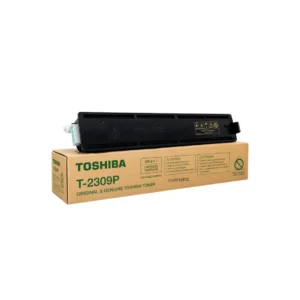
Toner Cartridge, Toshiba
T-2309P Toner for Toshiba Photocopier
Key Features
- Model: T-2309P Toner
- Supported model: Toshiba e-Studio 2303AM, 2309A, 2803AM, 2809A
- Duty cycle: 12,000+ Pages
- Printing technology: Laser
- Printing Color: Black
T-2309P Toner for Toshiba Photocopier – Order now or call us for product details and availability.
SKU: n/a -
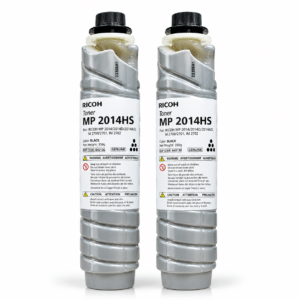
Ricoh, Toner Cartridge
Ricoh MP 2014HS Black Copier Toner
Key Features
- Model: MP 2014HS
- Supports: Ricoh MP-2014,2014D,2014AD,IM 2700,IM 2702
- Yield: 14,000 Pages (A4) with 5% Coverage
- Printing Color: Black
- Printing technology: Inkjet
Ricoh MP 2014HS Black Copier Toner Order now or call us for product details and availability. 01727757903
SKU: n/a


There are no reviews yet.