
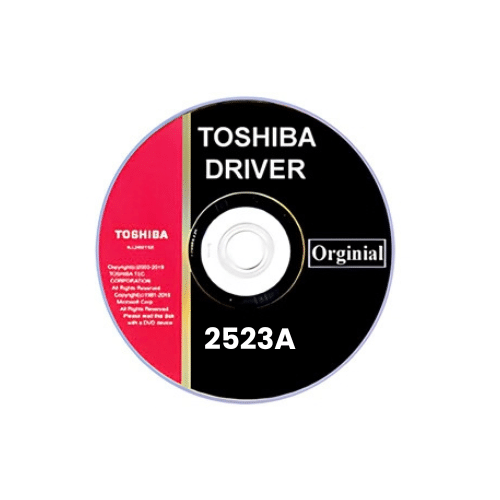
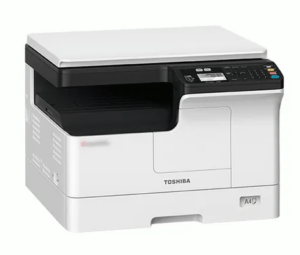
Toshiba e-Studio 2523A Driver Download
Basic INF driver for Windows 7, 8, 8.1, 10, 11, Server 2008, 2012, 2016 (32, 64-bit)
(32, 64-bit)
File Name: toshiba-e-studio-2523a-driver.zip
Size: 6.04 MB
Version: 1
Type: Basic driver (INF)
Language: English
Driver Pack Contains: Printer and scanner driver included
৳ 99 ৳ 250
Toshiba e-Studio 2523A Driver Download…
The Toshiba e-Studio 2523A is a versatile photocopier machine designed for small to medium-sized businesses, providing reliable and efficient performance. But for this machine to run smoothly, you need the appropriate driver installed on your system. The Toshiba e-Studio 2523A driver is crucial for ensuring seamless communication between the photocopier and your computer, allowing you to perform print, scan, and copy functions effortlessly. In this blog, we will delve into the importance of the Toshiba e Studio 2523A driver download, where to find it, its availability, and pricing in Bangladesh, especially at uniquecopier.com.
If you own a Toshiba e Studio 2523A photocopier or plan to purchase one, downloading the right driver is essential for optimal performance. This article will provide a comprehensive guide, including why the correct driver is important, how to purchase it online, and the latest price updates in Bangladesh.
Why Choose the Toshiba e-Studio 2523A Driver Download?
Choosing the correct driver for your Toshiba e-Studio 2523A photocopier is key to its functionality. Here’s why the right driver matters:
- Seamless Integration: The driver is the bridge between your Toshiba e-Studio 2523A and your computer’s operating system. It allows both devices to communicate effectively, making sure that print and scan commands are carried out correctly. Without the correct driver, your photocopier may not work, or worse, it could result in printing errors or crashes.
- Performance Optimization: Using the official Toshiba e-Studio 2523A driver ensures that the machine performs at its highest potential. This includes delivering clear, high-quality prints, rapid scanning, and stable connectivity. The driver manages how data is transmitted, ensuring that there is no loss of information during print or scan jobs.
- Compatibility with Advanced Features: The Toshiba e-Studio 2523A comes with advanced features, including network printing, duplex printing, and secure document handling. Installing the correct driver enables you to unlock these features and take full advantage of the machine’s capabilities.
- Driver Updates: The right driver ensures that your device remains up-to-date with Toshiba’s latest patches and updates. These updates often contain improvements in performance, security enhancements, and bug fixes.
- Security: Official drivers come with integrated security protocols that protect your device from potential cyber threats. Toshiba updates its drivers regularly to fix vulnerabilities and keep your network safe.
For these reasons, downloading the correct and official Toshiba e-Studio 2523A driver is crucial for maintaining the health and efficiency of your machine.
Toshiba e-Studio 2523A Driver Download Availability at uniquecopier.com
uniquecopier.com is a trusted online store in Bangladesh that specializes in providing original drivers and consumables for a variety of photocopiers and printers. When it comes to the Toshiba e-Studio 2523A driver, you can find genuine drivers specifically designed for your model.
Why Choose uniquecopier.com for Toshiba e-Studio 2523A Driver?
- Genuine Drivers: All drivers available at uniquecopier.com are original and certified by Toshiba, ensuring that you are getting a product that is guaranteed to work flawlessly with your photocopier.
- Regular Updates: uniquecopier.com ensures that the latest versions of the drivers are always available, so you are never left behind with outdated software. This is essential for ensuring your photocopier runs optimally and securely.
- Wide Availability: Whether you are located in Dhaka or elsewhere in Bangladesh, uniquecopier.com offers quick and reliable delivery options, ensuring that you can download or receive your driver without any delays.
- Customer Support: If you encounter any difficulties during installation or are unsure about which driver to download, uniquecopier.com provides customer support to help guide you through the process.
- Affordable Prices: Unlike many other vendors, uniquecopier.com offers highly competitive prices, making it the best choice for businesses looking to cut costs while still obtaining high-quality drivers.
By purchasing your driver through uniquecopier.com, you can rest assured that you are receiving a legitimate, updated product, backed by excellent customer service.
Current Price of Toshiba e Studio 2523A Driver Download in Bangladesh (Only 1 Price Table Available Stock uniquecopier.com)
The price of the Toshiba e-Studio 2523A driver can vary depending on the source, but uniquecopier.com offers some of the best prices available in Bangladesh. Below is a price table for the Toshiba e-Studio 2523A driver as currently available at uniquecopier.com:
| Product | Driver Type | Price (BDT) | Availability |
|---|---|---|---|
| Toshiba e-Studio 2523A Driver | Original Driver | 200 BDT | In Stock |
This table highlights the affordable pricing of the Toshiba e-Studio 2523A driver on uniquecopier.com, ensuring that businesses and individuals in Bangladesh have access to high-quality, original drivers without breaking the bank. The driver is currently in stock, meaning you can purchase and download it immediately.
How to Purchase Toshiba e-Studio 2523A Driver Download Online at uniquecopier.com
Purchasing the Toshiba e-Studio 2523A driver online at uniquecopier.com is easy and convenient. Here’s a step-by-step guide to help you through the process:
Step 1: Visit the Website
Open your browser and navigate to uniquecopier.com. Once there, use the search bar to look for the Toshiba e-Studio 2523A driver or navigate through the “Drivers” section to find your model.
Step 2: Select Your Driver
From the available options, select the Toshiba e-Studio 2523A driver. Be sure to verify that the driver is compatible with your operating system (Windows, Mac, Linux) and your photocopier’s specific model.
Step 3: Add to Cart
Once you’ve confirmed that the driver is the correct one for your system, click on “Add to Cart.” You will be prompted to either continue shopping or proceed to checkout.
Step 4: Checkout and Payment
When you’re ready, proceed to the checkout page. uniquecopier.com offers multiple payment options, including bKash, credit/debit cards, and cash on delivery for customers in Bangladesh.
Step 5: Download or Delivery
Once your payment is confirmed, you will receive a download link or instructions to download the driver directly from the website. If you prefer physical media (such as a CD or USB), uniquecopier.com also provides delivery options.
By following these simple steps, you can quickly and easily purchase and install your Toshiba e-Studio 2523A driver from uniquecopier.com.
Comparing Toshiba e-Studio 2523A Driver Download with Other Toshiba Photocopier Printer Driver Options (Price Table)
When it comes to choosing a Toshiba photocopier printer driver, there are several options available depending on the specific model of your photocopier. Below is a comparison table highlighting different Toshiba drivers available at uniquecopier.com:
| Model | Driver Type | Price (BDT) | Features | Availability |
|---|---|---|---|---|
| Toshiba e-Studio 2523A | Original Driver | 200 BDT | Standard print, scan, and copy | In Stock |
| Toshiba e-Studio 2306 | Updated Driver | 200 BDT | Standard print, scan, and copy | In Stock |
| Toshiba e-Studio 2510AC | Original Driver | 200 BDT | High-speed printing, Network ready | Available |
| Toshiba e-Studio 2329A | Updated Driver | 200 BDT | Basic printing, scanning, and copying | Available |
| Toshiba e-Studio 2518A | Updated Driver | 200 BDT | Large format, Multifunctional | In Stock |
This table shows how different models compare in terms of pricing and functionality. If you are using an older model like the e-Studio 2329A, you can still find an updated driver that supports basic operations. However, for advanced models like the e-Studio 2518A, the price is slightly higher due to additional features like color printing and duplex support.
Why Genuine Toshiba e Studio 2523A Driver Download is a Smart Investment
Investing in a genuine Toshiba e-Studio 2523A driver is one of the smartest decisions you can make for your business. Here’s why:
- Guaranteed Compatibility: Genuine drivers are designed specifically for your photocopier model, ensuring seamless operation without any risk of incompatibility. Using unofficial drivers can lead to functionality issues and potentially damage your machine.
- Better Performance: Official drivers optimize the performance of your Toshiba e-Studio 2523A, allowing it to operate at its full potential. This results in faster print speeds, clearer scans, and error-free copying.
- Regular Updates: Toshiba frequently releases updates for their drivers, addressing bugs, performance improvements, and security patches. Using a genuine driver ensures that you have access to these updates as soon as they are available.
- Security: With cyber threats on the rise, it’s important to use drivers that include the latest security protocols. Toshiba’s official drivers come with built-in security features that help protect your network and data from unauthorized access.
- Warranty Protection: Using unofficial drivers may void the warranty on your photocopier. By opting for a genuine Toshiba e-Studio 2523A driver, you protect your investment and ensure that your warranty remains intact.
FAQs
What is the Toshiba e-Studio 2523A driver and why is it important?
The Toshiba e-Studio 2523A driver is a software package that allows your computer to communicate with the photocopier. It is essential for enabling the photocopier’s print, scan, and copy functions.
How can I download the Toshiba e-Studio 2523A driver?
You can download the driver from trusted websites like uniquecopier.com, which offers genuine and up-to-date drivers for your Toshiba photocopier model.
Is the Toshiba e-Studio 2523A driver compatible with all operating systems?
The Toshiba e-Studio 2523A driver is compatible with most major operating systems, including Windows, Mac, and Linux. Make sure to check the compatibility before downloading.
Why should I choose a genuine Toshiba driver instead of a third-party one?
Genuine drivers are specifically designed for your model, ensuring full functionality, performance, and security. Third-party drivers can cause issues, void your warranty, and potentially harm your machine.
How often should I update my Toshiba e-Studio 2523A driver?
It is recommended to check for driver updates every 3-6 months. Regular updates ensure that your photocopier remains secure and operates efficiently.
Can I get help with installing the Toshiba e-Studio 2523A driver?
Yes, uniquecopier.com offers customer support to assist you with the installation process if needed.
There are no reviews yet.