

Canon NPG-87 Genuine Black Toner
-
Quick Overview
- Item Category: Copier Toner
- Printing Color: Black
- Printing Technology: Laser
- Duty Cycle / Yield: Unmentioned
- Product Type: Toner Bottle
- Compatible Models: imageRUNNER 2725, 2730, 2735, 2735i, 2745, 2745i Canon Photocopier.
Order now or call us for product details and availability. 01727757903
৳ 10,499 ৳ 11,000
Canon NPG-87 Genuine Black Toner: The Ultimate Printing Solution Guide
Table of Contents
-
Introduction
-
What Is Canon NPG-87 Genuine Black Toner?
-
Key Features and Performance Benefits
-
Technical Specifications Overview
-
Photocopier & MFP Compatibility
-
Why Choose Genuine Canon Toner for imageRUNNER Series?
-
Understanding Page Yield & Cost-Per-Page Analysis
-
How to Verify Authenticity via Official Canon Resources
-
Business Applications and Key Uses
-
Step-by-Step Installation & Replacement Guide
-
Storage & Handling Best Practices
-
Troubleshooting Common Toner Issues
-
Buy from Unique Copier
-
Frequently Asked Questions (FAQ)
-
Final Thoughts
1. Introduction
In high-demand business environments across Bangladesh—including corporate headquarters in Motijheel, Gulshan, and Dhanmondi, as well as educational institutions, legal firms, and commercial photocopy shops nationwide—reliable document production is essential. Daily administrative contracts, legal filings, financial reports, and high-volume office paperwork require consistent, crisp, and fade-resistant print output.
Canon imageRUNNER multifunction photocopiers are widely recognized for their durability, high-speed output, and low operational maintenance. To keep these enterprise-grade copiers operating at factory standards, using authentic consumables is critical. The Canon NPG-87 Genuine Black Toner is engineered specifically to protect your machine’s drum unit and fuser rollers while delivering sharp, dark text on every page.
At Unique Copier, we provide verified, top-tier printing supplies to maintain your workplace productivity. Reviewing technical specs, verifying machine compatibility, and understanding expected page yields will help you make a confident, cost-smart purchasing decision.
2. What Is Canon NPG-87 Genuine Black Toner?
The Canon NPG-87 Genuine Black Toner is an Original Equipment Manufacturer (OEM) monochrome toner cartridge produced directly by Canon for its imageRUNNER series multifunction printers. It contains microfine black toner powder formulated to fuse uniformly on paper during high-speed laser printing and copying.
Unlike non-genuine generic alternatives, an authentic Canon NPG-87 cartridge integrates smoothly with your copier’s electrostatic transfer drum and fuser unit. This ensures clean character edges, deep black contrast, zero background dusting, and reduced internal machine wear.
When purchasing replacement supplies for your Canon photocopier, verifying the exact model code—NPG-87 / NPG 87—ensures seamless fitting and reliable output.
3. Key Features and Performance Benefits
1. Exceptional Print Clarity & Contrast
Formulated with high-purity carbon black particles, Canon NPG-87 produces deep black text, fine line definition, and smooth grayscale shading without ghosting or background smudging.
2. High-Capacity Yield Performance
Designed for high-frequency business environments, the NPG-87 cartridge handles heavy daily print loads effortlessly, minimizing supply replacement frequency and preventing workflow interruptions.
3. Extended Drum & Fuser Roller Protection
Canon’s microfine toner particles feature uniform spherical dimensions, reducing mechanical friction inside the imaging system and preventing premature scratches on the primary drum unit.
4. Clean, Zero-Leakage Operation
Precision-engineered housing and factory security seals prevent internal powder spillage, maintaining clean machine interiors and preserving healthy indoor office air quality.
5. Effortless Drop-In Installation
The NPG-87 cartridge matches the exact dimensions and locking mechanism of compatible Canon imageRUNNER machines, allowing quick, tool-free installation.
4. Technical Specifications Overview
Review the technical details for the Canon NPG-87 Genuine Black Toner before placing your order:
| Attribute / Specification | Technical Details |
| Product Name | Canon NPG-87 Genuine Black Toner |
| Model / Part Code | NPG-87 / NPG 87 / NPG-87 Toner |
| Manufacturer | Canon Inc. |
| Consumable Type | Genuine OEM Black Photocopier Toner Cartridge |
| Toner Color | Black (Monochrome) |
| Print Technology | Laser / Monocomponent Powder |
| Approximate Page Yield | Unmentioned |
| Compatible Equipment | Canon imageRUNNER 2725i, 2730i, 2745i Series |
| Official Verification | Verify specs on the Canon Official Support Portal |
5. Photocopier & MFP Compatibility
Verifying machine compatibility is essential before purchasing replacement toner. The Canon NPG-87 Genuine Black Toner Cartridge is explicitly designed for popular monochrome Canon imageRUNNER multifunction copiers, including:
-
Canon imageRUNNER 2725i
-
Canon imageRUNNER 2730i
-
Canon imageRUNNER 2745i
Pro Tip: Always check the front door panel of your Canon machine or your old cartridge box prior to ordering to ensure exact model compatibility.
6. Why Choose Genuine Canon Toner for imageRUNNER Series?
-
Preserves Equipment Warranty: Using original Canon supplies prevents non-OEM damage that could compromise machine service agreements.
-
Factory Quality Control: Produced in Canon’s ISO-certified facilities to guarantee exact powder weight, particle consistency, and charge capacity.
-
Archival Print Quality: Original microfine particles fuse permanently into paper fibers, preventing text fading on archival contracts or audit records over time.
-
Reliable High-Volume Printing: Ideal for commercial copy centers and enterprise offices requiring uninterrupted daily output.
7. Understanding Page Yield & Cost-Per-Page Analysis
What Is Page Yield?
Page yield refers to the estimated number of standard printed pages a single cartridge can produce before empty, tested under standard ISO/IEC 19752 conditions based on 5% coverage on A4 paper (equivalent to a standard business letter).
Factors Affecting Actual Yield:
-
Page Coverage: Printing bold fonts, dense data tables, or heavy graphics uses more powder per page.
-
Paper Size: Printing on A3 paper consumes roughly double the toner of an A4 page.
-
Density Settings: Operating the machine on dark or high-resolution settings consumes powder faster than draft or eco modes.
8. How to Verify Authenticity via Official Canon Resources
Counterfeit toner cartridges can cause background shading, powder leakage, and drum damage. You can independently verify Canon original consumables through the following methods:
-
Optical Security Hologram: Authentic Canon packaging includes an optical hologram sticker that displays multi-dimensional color shifts and sharp logos when tilted under light.
-
Packaging Quality: Genuine boxes feature clean typography, crisp barcode labels, and intact factory tape seals.
-
Official Support Check: Customers can visit the Canon Official Website to cross-reference consumable part numbers, user manuals, and support documentation.
9. Business Applications and Key Uses
The Canon NPG-87 Genuine Black Toner supports diverse document production needs across multiple sectors:
-
Corporate Administration: Renders clean, professional memos, letters, and internal policy documents.
-
Finance & Accounting: Renders small font numbers, spreadsheets, and tax invoices with crisp line clarity.
-
Legal Filings: Produces archival-quality text for contracts, briefs, and official records.
-
Commercial Printing: Provides reliable continuous performance for high-volume customer photocopying tasks.
10. Step-by-Step Installation & Replacement Guide
Replacing the Canon NPG-87 toner cartridge on your imageRUNNER copier is simple and requires no tools:
+-------------------------------------------------------+
|  Step 1: Open the front access cover of the copier    |
+-------------------------------------------------------+
                           ↓
+-------------------------------------------------------+
|  Step 2: Release lock lever & remove empty cartridge  |
+-------------------------------------------------------+
                           ↓
+-------------------------------------------------------+
|  Step 3: Unpack new NPG-87 & rock horizontally 5-6x   |
+-------------------------------------------------------+
                           ↓
+-------------------------------------------------------+
|  Step 4: Slide cartridge into slot until locked       |
+-------------------------------------------------------+
                           ↓
+-------------------------------------------------------+
|  Step 5: Close front cover & run a sample test print  |
+-------------------------------------------------------+
-
Open Front Door: Gently open the front access door on your Canon imageRUNNER machine.
-
Remove Spent Cartridge: Rotate the toner locking lever to the unlocked position and pull out the empty container carefully.
-
Prepare New Toner: Unbox your replacement Canon NPG-87 toner. Hold it horizontally with both hands and rock it side-to-side 5 to 6 times to distribute settled powder evenly.
-
Insert and Lock: Align the new cartridge with the guide tracks, slide it in firmly, and lock the lever in place.
-
Close and Test: Close the front access cover. Allow the machine 15–30 seconds to initialize, then run a test print.
11. Storage & Handling Best Practices
-
Keep Sealed: Leave the toner inside its sealed protective bag until the moment of installation.
-
Store Horizontally: Always store unused toner boxes lying flat to prevent powder compaction at one end.
-
Temperature & Humidity: Keep in a dry, cool room between 10°C and 30°C (50°F–86°F), away from direct sunlight and moisture.
-
Avoid Magnetic Fields: Store away from heavy machinery or magnetic sources.
12. Troubleshooting Common Toner Issues
-
Light or Faded Prints: Remove the cartridge, rock it horizontally a few times to loosen settled powder, and check if “Toner Save Mode” is enabled in printer preferences.
-
“Toner Not Recognized” Error: Open the front cover, remove the cartridge, clean guide tracks of dust, reinsert firmly, and ensure the lock lever is engaged.
-
Vertical Lines on Copies: Clean the primary charger wire or scanner optical glass as detailed in your Canon copier manual.
13. Buy Canon NPG-87 Genuine Black Toner from Unique Copier
When sourcing office photocopier supplies, purchasing authentic, tested consumables is key to operational efficiency. Unique Copier provides reliable, top-quality toner supplies designed to keep your office workflow running smoothly.
Explore our full collection by visiting the Unique Copier Toner Cartridges page to find exact replacements for your printing equipment.
14. Frequently Asked Questions (FAQ)
Q1: What is the estimated page yield for Canon NPG-87 Genuine Black Toner?
A: Unmentioned
Q2: Which Canon photocopier models use the NPG-87 toner?
A: It is compatible with Canon imageRUNNER 2725i, 2730i, and 2745i multifunction copiers.
Q3: Will using genuine Canon NPG-87 toner protect my imageRUNNER machine?
A: Yes. Genuine OEM cartridges use particle-matched toner that works safely with your machine’s drum and fuser assembly, preventing premature mechanical wear.
Q4: How can I verify my Canon photocopier compatibility?
A: You can check your machine’s front panel model code or cross-reference specifications on the Canon Official Website before purchasing.
Q5: How should I store a spare Canon NPG-87 Genuine Black Toner?
A: Store it horizontally in its original sealed box in a cool, dry room away from direct sunlight and heat.
15. Final Thoughts
The Canon NPG-87 Genuine Black Toner is an essential consumable for organizations seeking high-yield, cost-effective, and professional monochrome printing. Delivering up to ~Unmentioned pages, rich black text density, and seamless hardware fit, it protects your photocopier investment and maintains peak workplace productivity.
Verify your machine model code, follow correct installation steps, and order your replacement supplies from trusted vendors for optimal performance.
| Brand | Canon |
|---|---|
| Color | Black |
| Product Type | Toner Bottle |
| Printing Technology | Laser |
| Compatible Models | imageRUNNER 2725, 2730, 2735, 2735i, 2745, 2745i Canon Photocopier |
General
Compatibility
Physical Description
Warranty
Additional Info
Based on 0 reviews
Be the first to review “Canon NPG-87 Genuine Black Toner”
Related products
-
Toner Cartridge, Kyocera
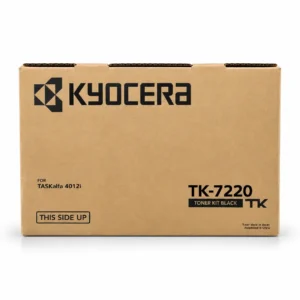
Kyocera TK-7220 Genuine Black Toner
Quick Overview
- Model: Kyocera TK-7220 Genuine Black Toner
- Item Category – Copier Toner
- Printing Color – Black
- Printing Technology – Laser
- Duty Cycle up to (Yield) – 25000 Pages
Kyocera TK-7220 Genuine Black Toner Order now or call us for product details and availability. 01727757903
SKU: n/a -
Toner Cartridge, Toshiba
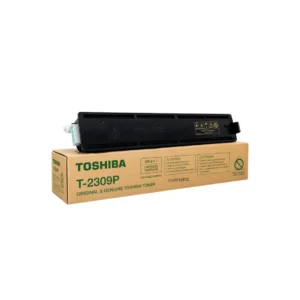
T-2309P Toner for Toshiba Photocopier
Key Features
- Model: T-2309P Toner
- Supported model: Toshiba e-Studio 2303AM, 2309A, 2803AM, 2809A
- Duty cycle: 12,000+ Pages
- Printing technology: Laser
- Printing Color: Black
T-2309P Toner for Toshiba Photocopier – Order now or call us for product details and availability.
SKU: n/a -
Toner Cartridge, Sharp
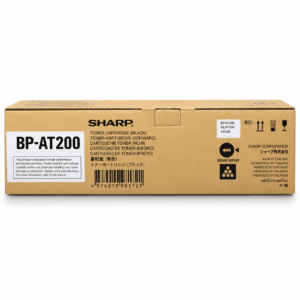
Sharp BP-AT200 Black Original Toner
Quick Overview
- Item Category – Copier Toner
- Printing Color – Black
- Printing Technology – Laser
- Duty Cycle up to (Yield) – 20000 Pages
Sharp BP-AT200 Black Original Toner Order now or call us for product details and availability. 01727757903
SKU: n/a

There are no reviews yet.