
How to Reduce Office Printing Costs: 9 Practical Tips
Printing expenses can build up through paper, toner, maintenance and unnecessary print jobs. To reduce office printing costs, start by understanding how your team prints, then make a few practical changes that do not get in the way of important work.
1. Find out what your office prints
Before changing settings, review your printer or copier counters, supply usage and print habits. If your equipment supports user or department reporting, use it to identify where print volume is highest.
An estimate of monthly printing costs can include:
Paper + toner and other supplies + maintenance and service + device costs + electricity
Keep downtime in mind too. A low-cost machine may be a poor fit if it regularly interrupts work.
2. Set duplex printing as the default
For documents that do not need to be single-sided, defaulting to double-sided printing can reduce paper use. Keep single-sided printing available for documents where it is required, such as certain forms or presentation materials.
3. Make black-and-white printing the usual option
If staff frequently print colour documents that could be monochrome, consider setting black-and-white as the default. Employees can still choose colour when a chart, image or branded document genuinely needs it.
4. Use economy settings for internal drafts
Some devices offer an economy or draft setting that may use fewer printing resources. It can be useful for internal working copies, but check the result first. Use a higher-quality setting for documents that need to be clear, final or customer-facing.
5. Preview before printing
Encourage staff to check a document before sending it to the copier. Previewing can catch blank pages, incorrect page ranges, cut-off tables and unnecessary attachments. Printing only the pages needed is a simple way to avoid waste.
6. Scan when a paper copy is not necessary
For documents that do not need to be printed, a secure digital workflow may reduce paper use. Make sure staff follow your organization’s privacy, access and retention rules when sharing or storing digital documents.
7. Match print jobs to the right device
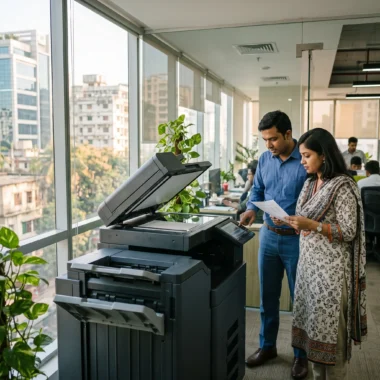
If your office has several printers or copiers, consider which device is most suitable for different types of work. A high-volume machine may make sense for large batches, while a smaller device may be more convenient for occasional local printing. Compare running costs and workload suitability before changing how jobs are routed.
8. Review supply costs carefully
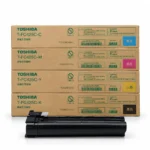
Compare supplies by compatibility, expected yield, print quality and warranty conditions, not just purchase price. A lower-cost supply may not be the best value if it produces poor output or causes reliability issues. Check the copier manufacturer’s recommendations before choosing an alternative.
9. Maintain equipment and review your needs
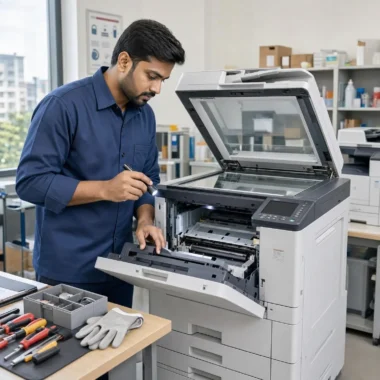
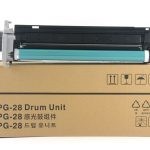
Poorly maintained equipment can cause repeat prints, jams and wasted supplies. Follow the manufacturer’s maintenance guidance and address recurring faults promptly.
It is also worth reviewing whether your devices still match your office’s workload. Compare actual print volume with each machine’s capacity and running costs. If you are considering buying, renting or replacing equipment, evaluate the full cost and terms of each option.
Reducing printing costs does not mean stopping people from printing documents they need. It means making routine printing more intentional. Unique Copier Solutions can help you discuss copier specifications and options relevant to your office.

Frequently Asked Questions
Does double-sided printing really reduce paper use?
It can reduce the number of sheets used for documents printed on both sides. The amount saved depends on how much of your office’s printing is suitable for duplex printing.
Is black-and-white printing always cheaper?
Not every document needs colour, so using monochrome when appropriate can help control costs. Compare the operating costs of your specific machine and supplies for a more accurate picture.
Are lower-priced toner supplies always better value?
No. Consider compatibility, yield, output quality, reliability and warranty conditions alongside the purchase price.